
Explore / Category guide
Shell Enhancements
Discover the top Shell Enhancements in 2026. Compare architecture, pricing tiers, performance benchmarks, and open-source developer alternatives.
Category overviewAbout Shell EnhancementsRead guideClose guide
Small programs that make the shell you already use faster to work in. Nothing here is a platform, nothing here needs a procurement conversation, and all 30 indexed tools are open source and free without exception.
Start with the honest caveat, because it changes how you should read the page: none of these 30 tools carries a scored review on this site yet. Where other categories let you sort by a number, here you are choosing on fit, and the only signals we can offer are how often a tool appears in our 131 published stacks and what its licence says.
The 27 tools currently shown split into four jobs.
Faster replacements for a builtin you already know. ripgrep for grep, fd for find, bat for cat with syntax highlighting, eza for ls, zoxide for cd with frecency. These are the highest-return installs because there is no new mental model — the muscle memory transfers and the speed difference is immediate. fzf sits alongside them as the fuzzy finder that everything else pipes into.
A layer above the shell. tmux keeps sessions alive across disconnects and is in 5 of the 131 stacks, more stack membership than anything else we rank in this category. Zellij is the newer take, with batteries-included defaults. lazygit and lazydocker put a terminal UI over git and Docker rather than replacing the CLI.
The shell and its prompt. zsh, fish and Nushell are the shells themselves; Nushell is the interesting one because it carries typed, structured rows through pipes instead of plain text. Starship, Oh My Posh, Oh My Zsh and Oh My Pi configure what you look at. Atuin replaces shell history with an encrypted, SQLite-backed store that syncs across machines — the one on this list most likely to change how you work.
A model in the shell. ShellGPT, aichat, shai, llmfit, CLI-Anything and cli-continues put an LLM behind a prompt without opening an editor. This is the newest of the four groups and the least settled.
The graveyard here is the most instructive part of the category. exa died on 1 September 2023 when its single maintainer stopped responding to issues; the community fork eza overtook it and is a live card on this page. Fig was acquired by AWS, folded into Amazon Q Developer, and discontinued as a standalone product on 19 February 2025. Charm archived Mods on 30 June 2026. All three appear in our six most recently verified records — three of six — and none of them renders in the grid. Single-maintainer burnout and acquisition are the two ways small shell utilities end, and both are visible in this category's own history.
Install two replacements and Atuin this week. Leave the rest.

showing 27 of 27 tools
Blazingly fast recursive search
Ultra-fast recursive text search tool written in Rust that respects .gitignore rules automatically. Searches directories significantly faster than grep with smart defaults like line numbers, syntax highlighting, and compressed file support. The de facto replacement for grep among developers, combining the speed of Rust with sensible defaults that eliminate the need for complex command-line flags.
All-in-one LLM CLI tool with shell assistant, RAG, and function calling
All-in-one LLM CLI written in Rust that gives unified access to 20+ AI providers (OpenAI, Claude, Gemini, Ollama, Groq, Mistral, DeepSeek, and more) through one terminal interface. Includes a shell assistant, interactive REPL with session management, RAG over local files and URLs, custom roles, function calling, and a built-in HTTP server exposing Chat Completions, Embeddings, and Rerank APIs plus an LLM Playground and Arena for model comparison.

Magical shell history
Shell history manager that replaces the default history with a SQLite-backed, encrypted, and synchronized command history across all your machines. Features full-text search with fuzzy matching, directory-based context filtering, session tracking, and statistics about command usage. Syncs via an encrypted server (self-hostable or hosted). Supports bash, zsh, and fish shells. 22K+ GitHub stars. Transforms shell history from a simple list into a searchable, cross-machine knowledge base.
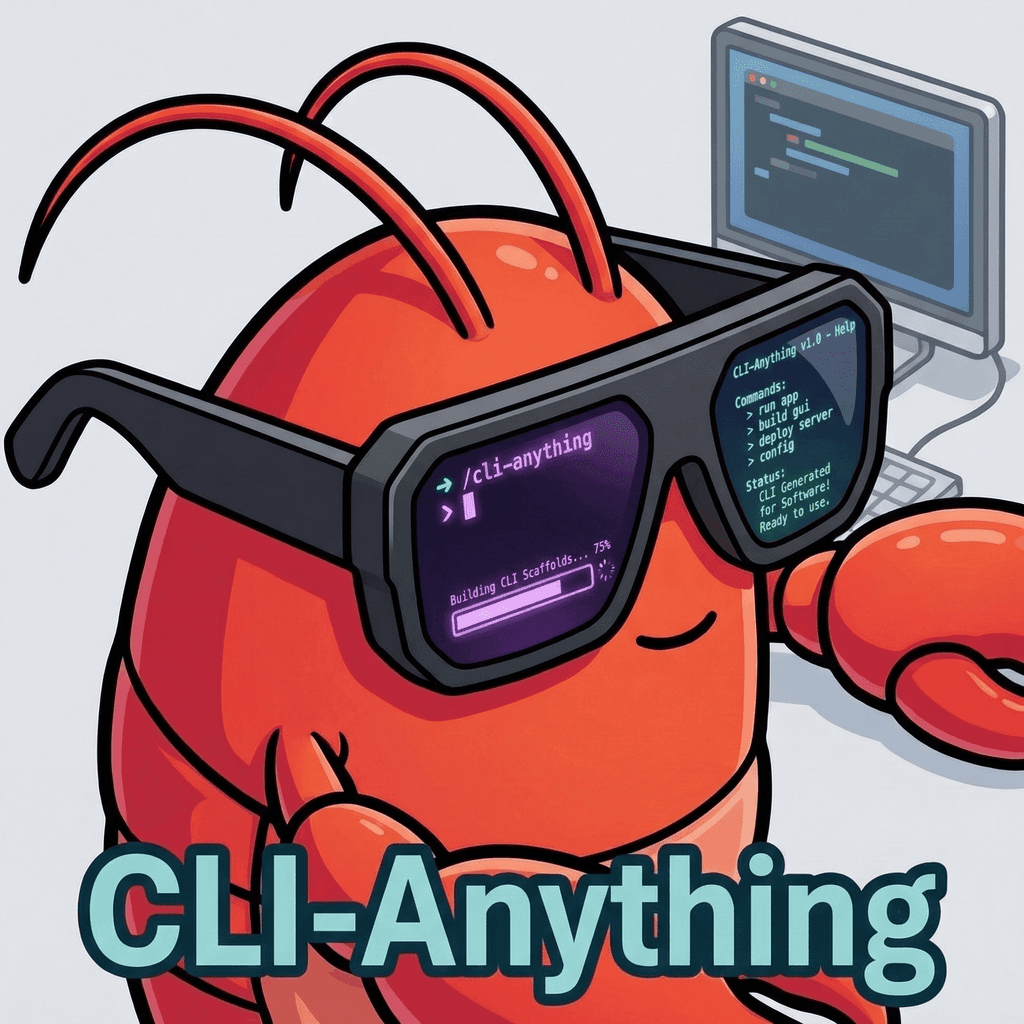
Making all software agent-native from the CLI
Universal bridge from HKUDS that makes any GUI software accessible to AI coding agents through command-line interfaces. Instead of requiring manual GUI interaction, it exposes application functionality as CLI commands agents can invoke programmatically. Addresses a core challenge in agentic development: most software targets human graphical interaction, but AI agents work best through text-based command interfaces.

Cross-machine dotfile manager with template support and encryption
Chezmoi manages dotfiles across multiple machines with template support for machine-specific configuration, secret encryption, and integration with password managers. It handles the complexity of maintaining consistent development environments across work laptops, personal machines, and servers. Over 15,000 GitHub stars with support for 1Password, Bitwarden, LastPass, and gpg encryption.

Swiss-army MCP server for local system automation
DesktopCommanderMCP is a general-purpose MCP server that gives AI agents the ability to execute local programs, read and write files, search the filesystem, and edit text files. It acts as a comprehensive local system actuator, enabling coding agents to interact with the development environment beyond just code editing.
The friendly interactive shell
User-friendly interactive shell for Linux and macOS that works great out of the box with zero configuration needed. Features autosuggestions based on command history (accept with right arrow), syntax highlighting as you type, tab completions with inline descriptions, web-based configuration UI for themes and settings, and a scripting syntax that is simpler than bash/zsh. Not POSIX-compatible by design. Popular among developers who want a productive shell without customization effort.

The missing package manager for macOS
The default package manager for macOS (also available on Linux) that installs CLI tools, developer utilities, GUI applications (via Casks), and fonts with simple terminal commands. Massive repository of 7,000+ formulae and 5,000+ casks maintained by the community. Features dependency resolution, bottled (pre-compiled) packages for fast installs, automatic updates, and cleanup. Essential tool for any Mac developer's setup. 42K+ GitHub stars and the largest macOS package ecosystem.

A new type of shell
Nushell is a modern cross-platform shell written in Rust that treats all data as structured tables instead of plain text streams. Pipes carry typed rows through commands like ls, where, and get, so you can query JSON, CSV, SQLite, TOML, and YAML with a single uniform syntax. Powerful enough to replace bash or PowerShell for interactive use and scripting, with plugin support for custom data sources.

AI coding agent with hash-anchored edits, LSP, subagents, and browser tools
AI-powered code migration tool that automates framework upgrades, language migrations, and API version transitions. Analyzes your codebase to generate migration plans, then applies changes systematically across affected files. Reduces the risk and effort of major upgrades by handling the tedious, error-prone aspects of codebase-wide transformations that would take developers weeks to complete manually.
A prompt theme engine for any shell
A cross-platform prompt theme engine that works with any shell including PowerShell, Bash, Zsh, and Fish. Customize your terminal prompt with rich themes, dynamic segments, and real-time information from Git repos, Kubernetes clusters, cloud providers, battery status, and execution time. The most versatile prompt customization tool available, with hundreds of community themes and a visual config editor.
Framework for managing Zsh config
Community-driven framework for managing Zsh configuration with 300+ plugins, 150+ themes, and an auto-update mechanism. Provides aliases, functions, and completions for Git, Docker, Node.js, Python, Kubernetes, and most developer tools out of the box. Popular themes like Powerlevel10k and agnoster for informative prompts. Simple plugin activation via .zshrc. 176K+ GitHub stars — the most starred developer tool on GitHub. Essential for Zsh users who want productivity without manual configuration.

Rust-powered coding agent and pair programmer by OVH
ShAI (Shell AI) is a CLI that brings natural language to the command line, turning plain English descriptions into executable shell commands tailored to your OS and shell. Offers command generation plus command explanation (paste an unfamiliar command, get a breakdown). Adapts syntax for macOS, Linux, and Windows across bash, zsh, fish, and PowerShell. The OVH shai variant extends further into a full pair-programming coding agent with support for multiple LLM providers.

AI-powered command-line productivity tool
ShellGPT (sgpt) is a command-line productivity tool powered by OpenAI models that generates shell commands, code snippets, and documentation directly in the terminal. Integrates with Bash, Zsh, PowerShell, and CMD; places AI-suggested commands into the terminal input via hotkeys. Supports persistent chat sessions, a REPL mode, and custom Python functions for extending capabilities. Accepts stdin and arguments for pipe-based workflows where command output can be piped to the AI.

The minimal, blazing-fast shell prompt
Minimal, blazing-fast, cross-shell prompt written in Rust that works with Bash, Fish, Zsh, PowerShell, Ion, Elvish, and Nushell. Provides a single consistent prompt configuration across every shell, showing Git branch, language versions, and cloud context at a glance. Context-aware modules activate only when relevant, keeping startup fast. Configured through a simple TOML file, adding negligible latency. One of the most popular shell prompt tools in the developer community.

A modern terminal workspace
Modern terminal workspace manager written in Rust that provides tmux-like functionality with a more intuitive UX and batteries-included defaults. Features split panes, tabs, sessions, floating/stacked layouts, a built-in plugin system (via WebAssembly), and a status bar with configurable widgets. Supports mouse interaction, copy mode, and sixel images. No configuration required to get started. Growing as a modern tmux alternative with 23K+ GitHub stars and an active plugin ecosystem.
Powerful shell with programmable completion
Zsh (Z shell) is a powerful Unix shell and command-line interpreter created by Paul Falstad in 1990, now the default shell on macOS and many other systems. Extends Bash with advanced features: improved tab completion, glob patterns, shared command history, right-side prompts, and thousands of plugins via frameworks like Oh My Zsh, Prezto, and Zinit. Standard shell for modern developers.

A cat clone with wings
Modern replacement for the Unix cat command with syntax highlighting for 200+ languages, automatic paging, line numbers, Git integration showing file modifications, and themes including integration with terminal color schemes. Supports plain text output mode for piping. Extremely fast with Rust-based implementation. Can be used as a drop-in cat replacement via aliasing. 51K+ GitHub stars. Part of the modern CLI toolkit alongside fd, ripgrep, and eza.
Resume interrupted CLI agent sessions
Session persistence tool for terminal-based AI coding agents that saves full agent context and lets you resume seamlessly after interruptions — network drops, timeouts, or intentional breaks. Works with popular AI CLI agents and maintains conversation history, file states, and task progress across sessions. Particularly valuable for long-running agentic tasks that span hours or multiple work sessions.
Modern replacement for ls
Modern replacement for the Unix ls command written in Rust with color-coded output, Git integration showing file status, tree view, icon support, extended attributes display, and hyperlink support for terminals. Faster than ls with features like recursive directory listing, grid/long/tree layouts, and filtering by file type. Maintained fork of the discontinued exa project. Part of the modern CLI toolkit alongside bat, fd, ripgrep, and zoxide. 14K+ GitHub stars.

Simple, fast alternative to find
Fast, user-friendly alternative to the Unix find command written in Rust. Features intuitive syntax, colorized output, regex and glob pattern support, smart case sensitivity, parallel execution, and automatic .gitignore respect. Significantly faster than find for most use cases. Integrates well with other tools via piping. Part of the modern CLI toolkit alongside ripgrep, bat, eza, and fzf. 35K+ GitHub stars.

Command-line fuzzy finder
General-purpose command-line fuzzy finder written in Go that adds interactive filtering to any list — files, command history, processes, Git branches, and more. Blazing fast even on millions of entries. Integrates with bash, zsh, fish, and vim/neovim for history search (Ctrl+R), file finding, and directory jumping. Supports preview windows, multi-select, and custom key bindings. 67K+ GitHub stars. One of the most essential CLI productivity tools in the modern developer toolkit.
Terminal UI for Docker
Terminal UI for Docker and Docker Compose that provides an interactive dashboard for managing containers, images, volumes, and networks without memorizing CLI commands. Features real-time logs, stats (CPU/memory), container shell access, bulk cleanup of unused resources, and Docker Compose service management. Navigate with keyboard shortcuts in a panel-based layout. By the creator of lazygit. 40K+ GitHub stars. The fastest way to manage Docker from the terminal.
Simple terminal UI for git
Terminal-based Git UI that provides an intuitive, interactive interface for Git operations without memorizing commands. Features staging/unstaging hunks and lines, interactive rebase with drag-and-drop, conflict resolution, commit graph visualization, cherry-picking, branch management, stash operations, and custom commands. Navigate with keyboard shortcuts in a panel-based layout. Integrates with your existing Git config. 55K+ GitHub stars. The go-to TUI for Git users who prefer the terminal.
Find which AI models actually run on your hardware in one command
llmfit is a Rust-based terminal tool that matches over 200 LLM models from 30+ providers against your exact hardware specs. The interactive TUI scores each model on fit, speed, VRAM usage, and context length, helping you avoid downloading models that won't run on your machine. It supports Ollama, llama.cpp, MLX, Docker Model Runner, and LM Studio backends.

Terminal multiplexer
Terminal multiplexer that lets you run multiple terminal sessions inside a single window with splits, tabs (windows), and detachable sessions. Sessions persist after disconnecting — essential for remote server work via SSH. Features customizable key bindings, statusbar, scriptable via tmux commands, and copy mode for scrollback navigation. Extensive plugin ecosystem via TPM (Tmux Plugin Manager). The standard for terminal session management for 15+ years. Pre-installed on most Linux servers.
Smarter cd command
Smarter cd command that learns your most-used directories and lets you jump to them with partial name matches. Written in Rust for speed, it replaces the standard cd command with intelligent fuzzy matching based on frequency and recency of access. A small quality-of-life tool that saves developers hundreds of keystrokes daily by eliminating tedious path typing.
Community tiers
A different perspective: rank the tools you know from S to D.
Sources & verification
- The Open Group Base Specifications / POSIX Shell Standard
- GNU Project - Bash Reference Manual (Free Software Foundation)
Verification dates are editorial checks. Routine CMS saves and automatic updatedAt timestamps do not advance them.